
It is getting closer to the biggest cybersecurity conference in Norway, Sikkerhetsfestivalen. This is an annual event at Lillehammer. This year I am looking forward to be a speaker in the OT track – about IEC 62443 and connecting OT to the cloud. Since consultants cannot share the details of real client projects, I needed to create a toy system to talk about. And the choice fell on a boom barrier controlled by an Arduino, that we hook up to the cloud without much regard for security (the talk will be about how to get it right). Building the simple demo was a lot of fun!

First we mounted a popsicle stick to an SG90 micro servo, an fixed this between two short wood beams. I hooked up the servo to an Arduino Uno (or, a cheap version of the board bought at Kjell & Company), and then set up a touch sensor on a mini breadboard to control the power to the servo. The 5V power is fed directly to the servo, and the touch sensor is fed with the 3.3V pin from the Arduiono, adding a small resistor of 220 Ω. Give it a touch and it moves – either to open or closed position. This serves as a basic boom barrier. Of course, having a security guard standing next to the barrier touching the button works well, but the guard may want to go inside in bad weather. So to facilitate that we also allow the boom to be operated from a PC giving a signal over the serial connection to the Arduino (through the USB cable).
void loop() {
  // --- Del 1: Håndter input fra berøringssensor ---
  int currentTouchState = digitalRead(touchPin);
  // Sjekk for en "stigende flanke" - øyeblikket sensoren først blir berørt.
  if (currentTouchState == HIGH && lastTouchState == LOW) {
    // En ny berøring er oppdaget, så bytt målposisjon.
    if (targetPosition == 0) {
      moveToPosition(95);
    } else {
      moveToPosition(0);
    }
  }
  // Oppdater siste berøringstilstand for neste iterasjon av loopen.
  lastTouchState = currentTouchState;


  // --- Del 2: Håndter input fra seriell kommando ---
  if (Serial.available() > 0) {
    String command = Serial.readStringUntil('\n');
    command.trim(); // Fjern eventuelle innledende/avsluttende mellomrom.

    if (command == "move") {
      // Hvis kommandoen er "move", sjekk nåværende posisjon.
      if (myservo.read() == 0) {
        // Hvis på 0, flytt til 95.
        moveToPosition(95);
      } else {
        // Ellers, flytt til 0.
        moveToPosition(0);
      }
    }
  }
}
As a next step we needed to hook up the computer so that the guard can go inside, and still operate it.

The life of a security guard – according to AI
We are operating a legacy system, and the control system looks a bit aged too.
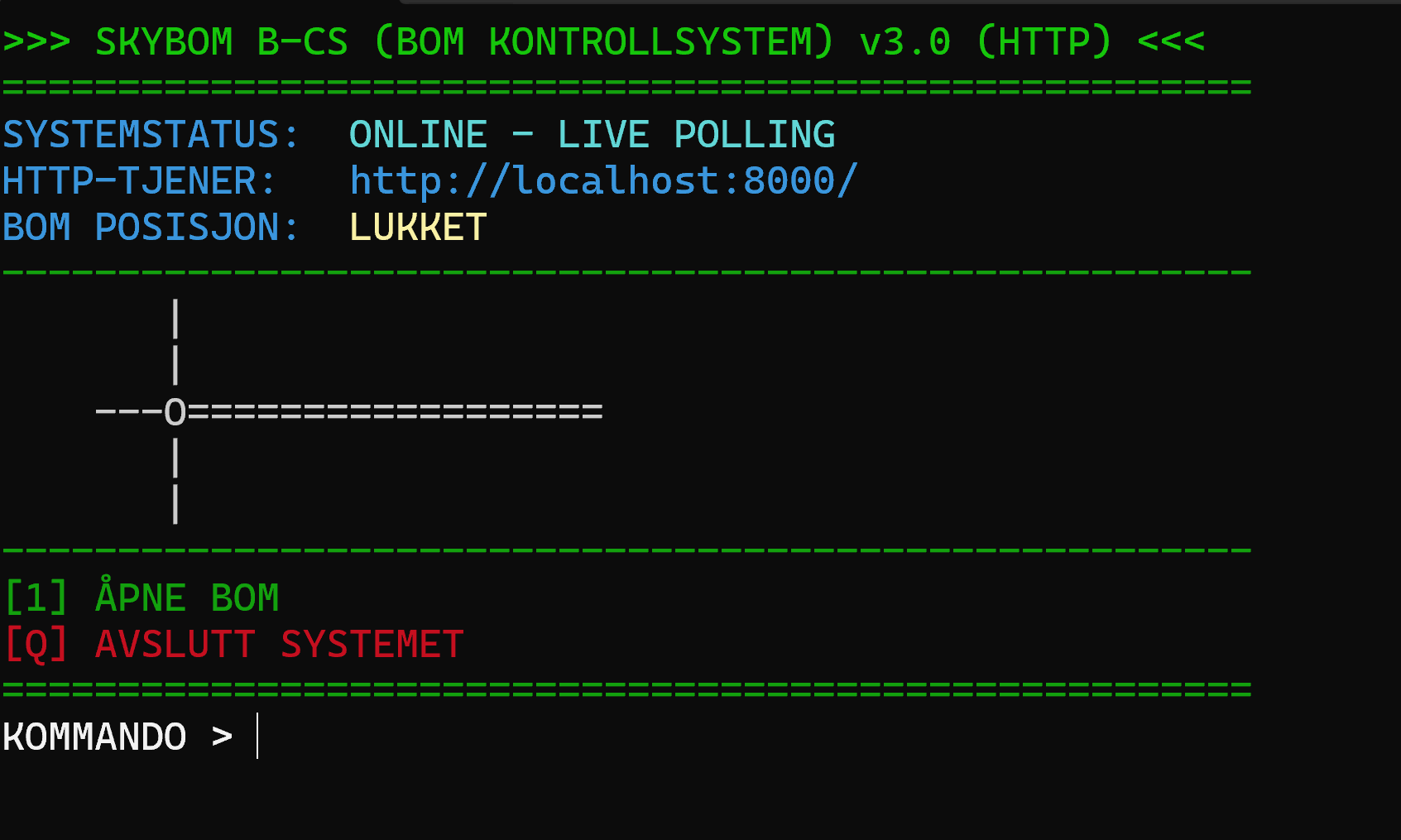
The legacy control system is in reality a Python application. It can communicate with the Arduino over serial, and is also listening for requests over HTTP from the local network – but only authenticated services can send commands over the network. The guard can now enjoy operating the barrier from inside a warm and cozy booth while drinking coffee. The system is of course not connected to the Internet, so no worries about hackers!
But, unfortunately, it is quite expensive to hire security guards, at least 24/7. The company operating the boom barrier decides to reduce manning, at least outside regular office hours. To allow necessary traffic to pass the barrier, a self-service system is setup. And it only took a minute to set up when calling the boom barrier vendor, SKYBOM (not to be confused with the Norwegian word “skivebom”, which means to completely miss the target). They simply placed their new SKYBOM cloud gateway into the switch, and provided stickers with QR codes – and then truckers could immediately self identify using their phones to automatically open and close the gate.

When scanning the QR code, the trucker opens a web page, where they have to enter a pin code. When they enter the code, the barrier moves after a short delay.
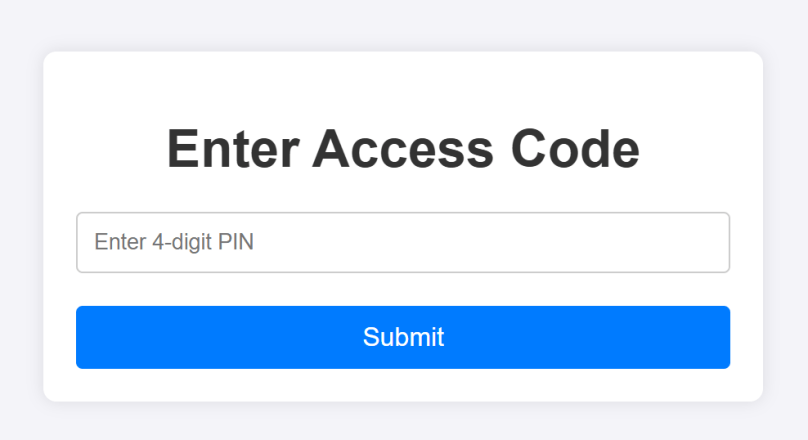
The trucker now only needs a pin to open the boom barrier – no more need for a security guard outside office hours!
The pin code system is deployed to a VM in the cloud (picked OVHCloud this time, selected from the excellent webpage european-alternatives.eu). The app itself is a simple PHP app using SQLite3 as database. The PHP app was also created by Le Chat as well :).

The result? We know have a cloud enhanced(?) OT system that can be operated from 3 stations:
- Locally – using the touch sensor on the breadboard
- From the security guard’s local PC
- From a web browser via the cloud
It all works but what started out as a simple electronic system with a very small attack surface has expanded into something a lot more complex with a much larger attack surface – which is what the talk will actually be about!
 safecontrols
Nice.
I would love to come back to the festival to give some new courses…
All the best, and success with your demo
LikeLiked by 1 person
[…] å illustrere denne utfordringen tok jeg med meg et lite demoprosjekt, som illustrerer utviklingen fra en verden der OT-systemer opprinnelig var skjermet fra […]
LikeLike